For service businesses with their hands full
Customers don't want to call.
They want to text and get booked.
ChatBooker answers the first questions, checks the availability you set, and guides each customer towards a booking conversation.
WhatsApp sender approval is a separate provider step.
ChatBooker demo
Illustrative example
Or message it on WhatsApp.
Same assistant, on the app your customers already use. Scan the code with your phone, or tap the button, and ask it for a booking.
This demo runs on a test number, so WhatsApp asks you to send the join message first. It is prefilled — just hit send, then ask away.
- Profile
- Set business details and services
- Calendar
- Choose native or Google Calendar
- Test
- Check the conversation before launch
The booking leak starts before the booking link.
Customers ask about services, price, timing and what to expect. ChatBooker gives those questions a clear first reply using the information you configure.
-
Unanswered enquiries
Questions sit in a busy inbox while you serve someone else.
-
Unclear service choices
Customers do not always know which service or duration fits.
-
Reschedules and cancellations
A simple change can become a long back-and-forth.
-
Requests that need a person
The handoff should preserve context instead of starting over.
Set up the path, then test it.
Give ChatBooker the details it needs to answer a customer properly.
- 01
Tell us about the business
Add your name, timezone and contact details.
- 02
Add services and hours
Set what you offer, how long it takes and when you are open.
- 03
Choose your calendar
Keep bookings in ChatBooker or connect Google Calendar.
- 04
Verify and test
Verify WhatsApp when ready, then test the booking conversation.
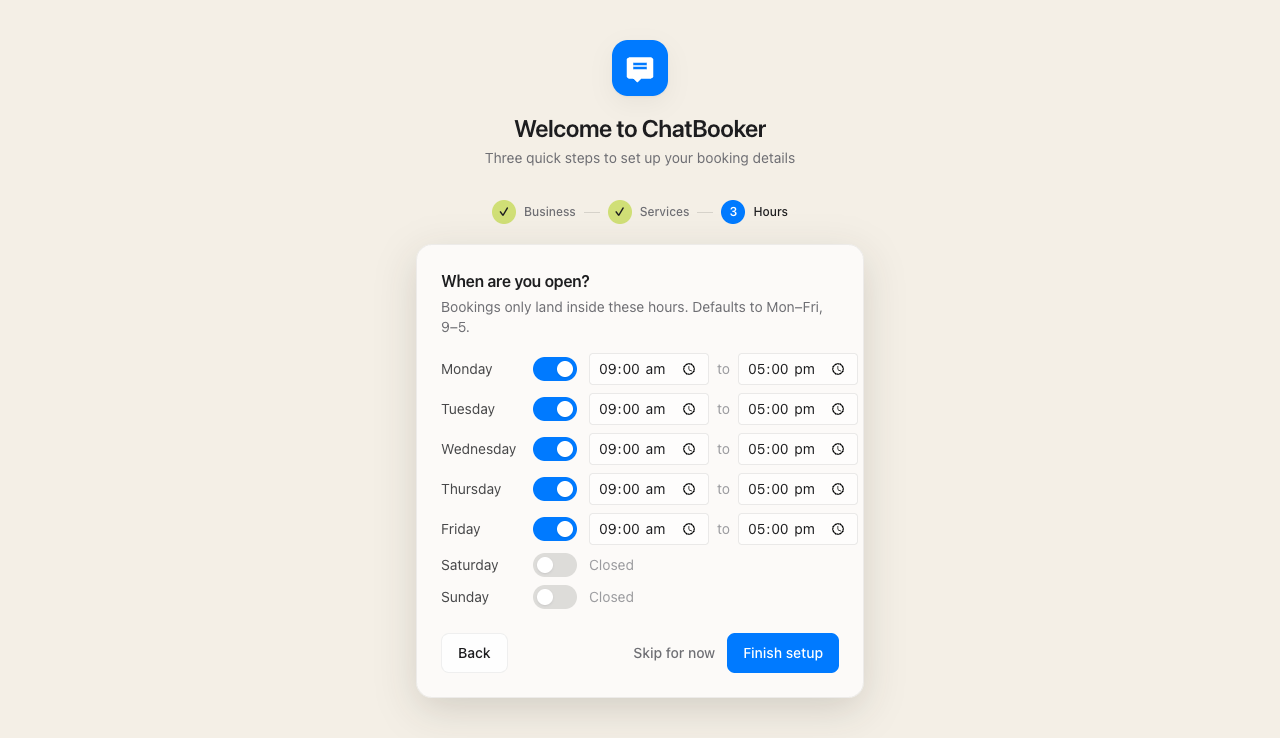
Demo example — fictional data
Your hours tell it when to offer a booking.
Save the hours you actually take bookings, and the assistant can keep its suggestions inside that window.
The assistant follows your rules.
Configure services, durations, work hours and a calendar. Test questions outside those rules and decide where a person should take over.
Native calendar
A simple account path for businesses that want to keep setup in ChatBooker.
Google Calendar
A verified connection for businesses that already keep availability there.
WhatsApp verification
A separate provider step before a sender is ready for customers.
Human review
Keep unusual or sensitive requests ready for a person.
Quick answers
- What is ChatBooker?
- ChatBooker is a text-first booking assistant for appointment-based service businesses. You set up your profile, services and hours, select the native or Google calendar path, verify WhatsApp, then test a booking conversation.
- How does AI appointment booking work?
- After you configure your business profile, services, hours and calendar, ChatBooker can guide a customer through a booking conversation using the availability you have configured.
- Does it work with WhatsApp?
- WhatsApp setup requires verification of your business sender. Approval and provider requirements can affect when a sender is ready.
- What about SMS?
- SMS capability depends on your configured sender and account. It is not a substitute for WhatsApp sender verification.
- Will the AI sound robotic?
- You can configure your business details and service information. Test the conversation before relying on it with customers.
- Does ChatBooker integrate with my calendar?
- Launch setup supports the native calendar and Google Calendar. Choose one during setup and test it with your own business before using it with customers.
See whether the booking path fits.
Create an account, configure the basics and test a conversation with your own services.
Create an accountQuestions? hello@mellon.chat